Preconstruction software for general contractors
Complete precon, in one place.
Find public bid postings, draft scope from your plans, send packages to subs, level the quotes that come back, and carry the winning numbers into buyout — in one platform built for general contractors.
Already a customer? Log in
We will walk it through on a project like the ones you bid.
- Bid Postings
- Scope Takeoff
- Bid Packages
- Bid Leveling
- Buyout
- Budget
The preconstruction process
One chain, from finding the job to buying it out
Every step hands its work to the next one, so nothing gets retyped between them.
- 1Find the workSet up your posting sources once. One click pulls every new public bid posting from all of them into one list.
- 2Read the plansUpload the plan set and specs. AI produces a draft scope list by CSI division. Estimators add, edit, and delete from there.
- 3Send the packagesSend bid packages to subcontractors straight from that scope, and track who opens and downloads them.
- 4Read the quotes backUpload every subcontractor quote at once. AI reads and sorts them, then surfaces suggestions for the estimator to review.
- 5Build the bid sheetAI drafts the bid sheet for you.
- 6Buy it outAwarded scope carries into subcontracts. Bought and open are tracked by division.
- 7Schedule itGenerate a baseline schedule in one click.
And Nick, the built-in assistant, answers questions about your own project documents at any point along the way.
A helper for the estimator
One place, from plans to buyout
Bid Postings
Stop checking six posting sites
Set up your public bid posting sources once. After that, one click pulls every new posting from all of them into one place.
Learn more →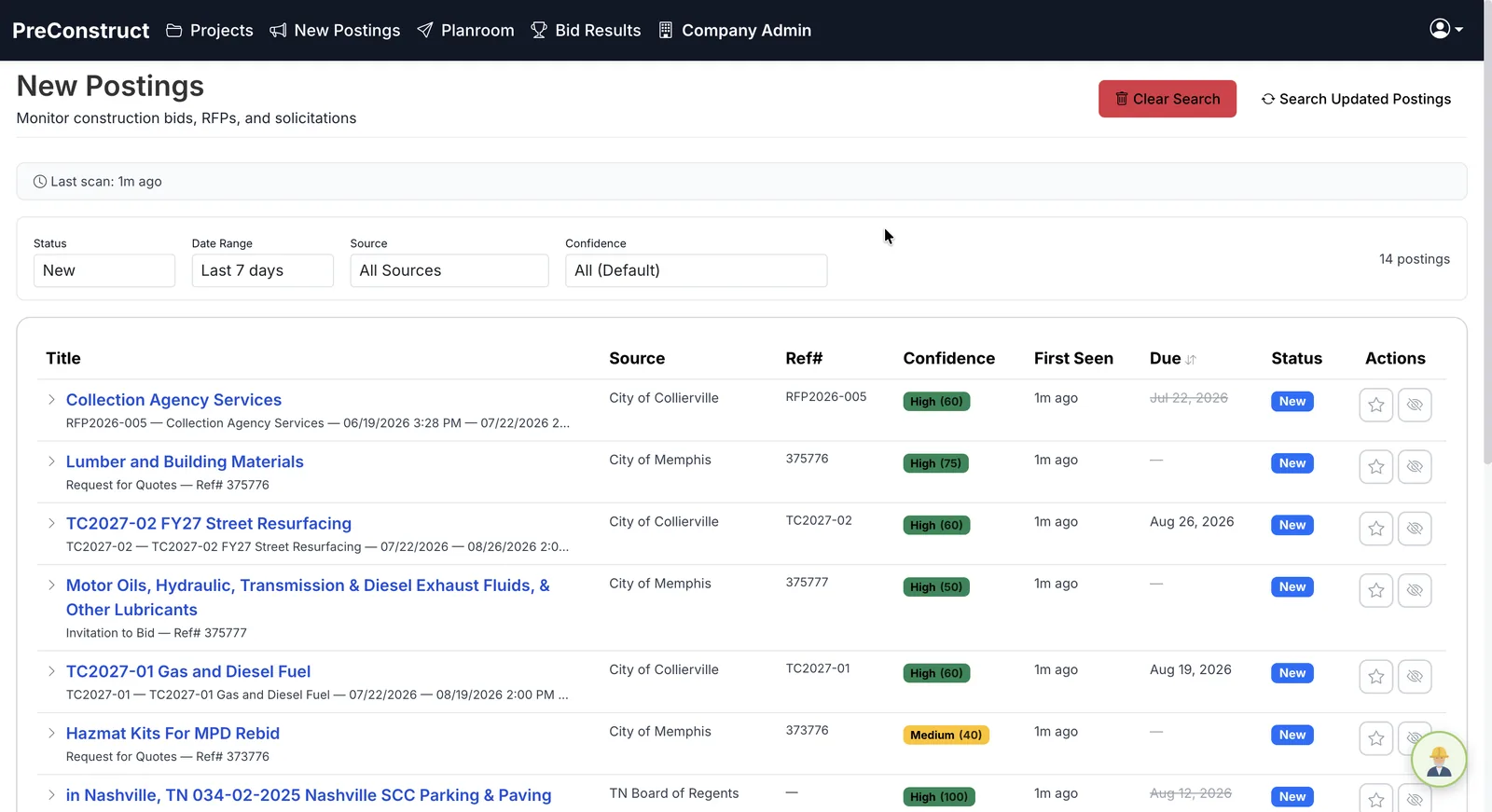 One click. Every source.
AI Scope Takeoff
Start from a draft, not a blank sheet
Upload plans and specs. AI extracts scope items with quantities and CSI divisions, so estimators start from a draft instead of a blank sheet. Every line shows the document and page it came from.
Learn more →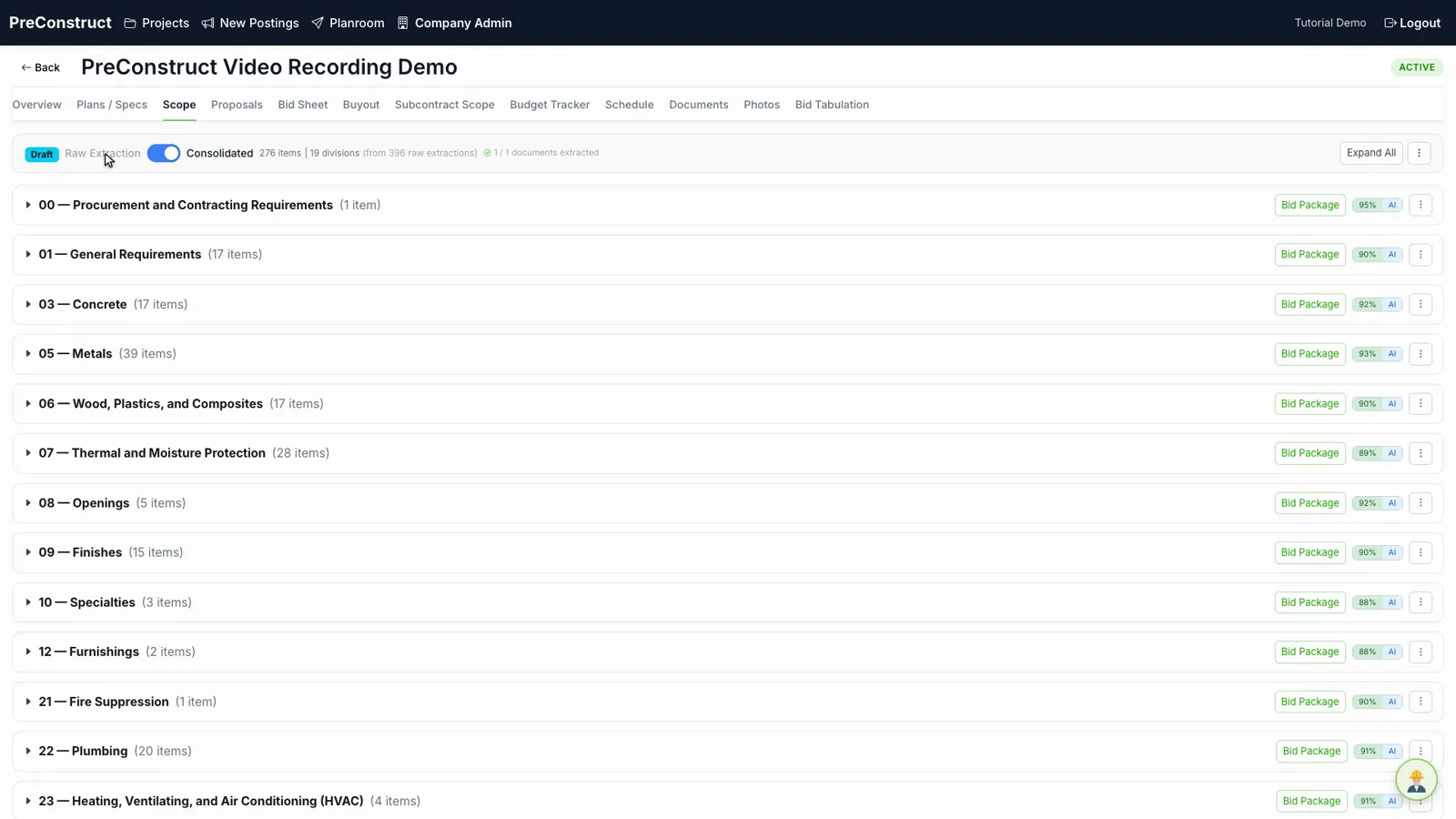 Raw → consolidated, by CSI division
Bid Leveling
Compare bids that cover the same scope
Compare subcontractor bids side by side, spot scope gaps, and see the spread to the winning number.
Learn more →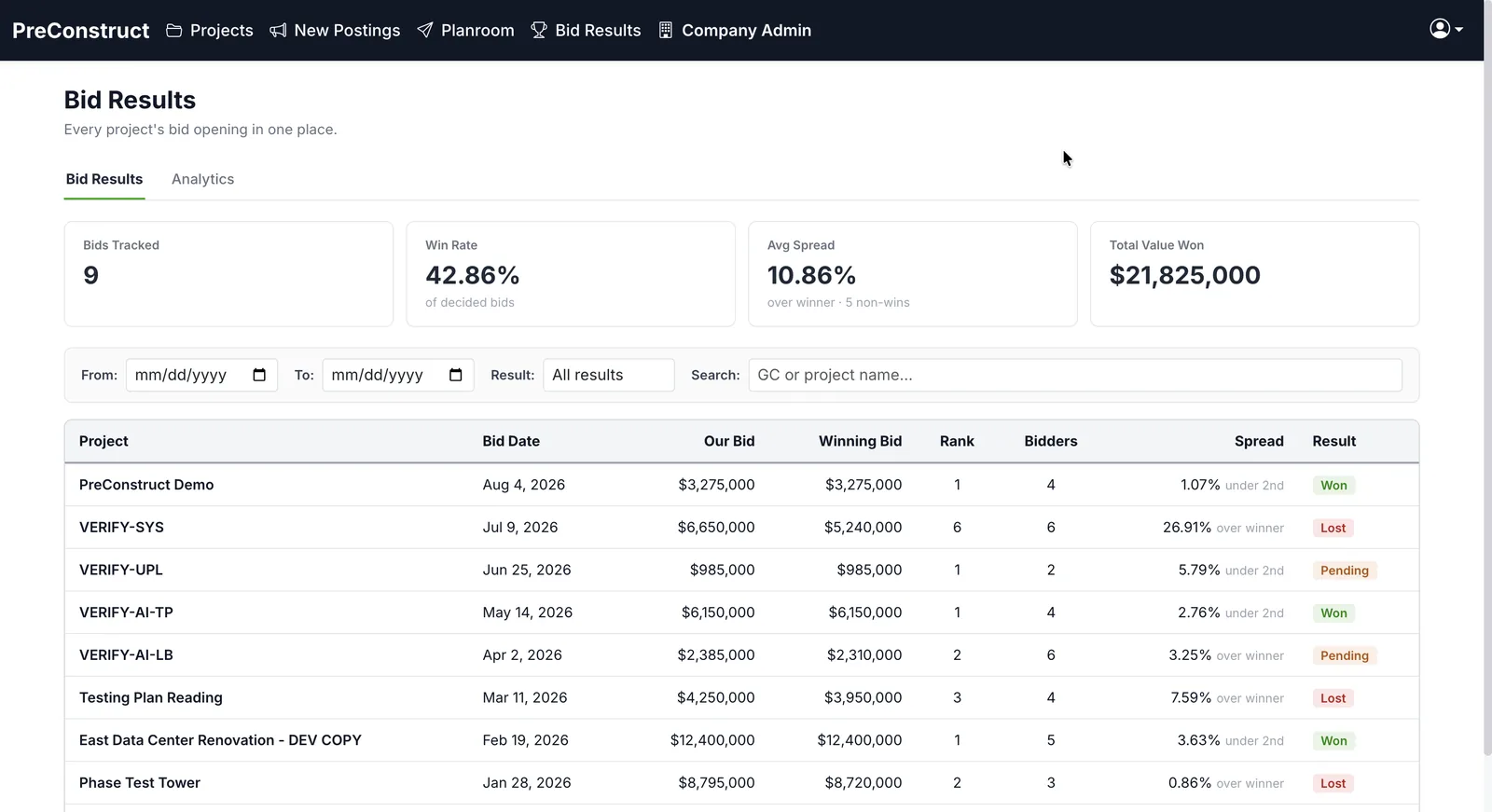 Win rate and spread, tracked
Bid Packages
Know who is actually bidding
Send bid packages to the subs you choose, straight from the scope. Each bidder gets a portal link; you see who opened, who downloaded, and who intends to bid.
Learn more →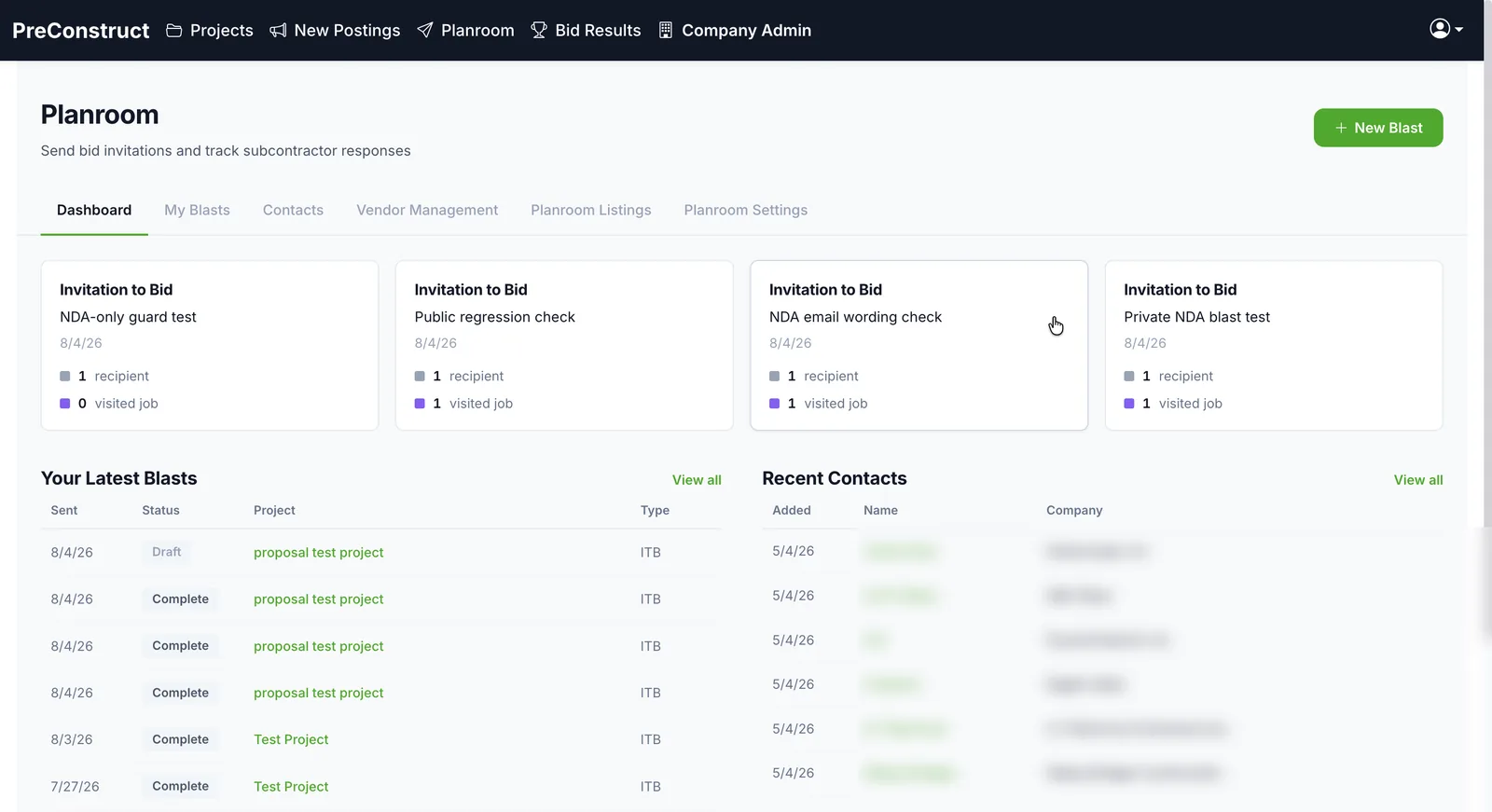 See who actually opened it
Planroom
Know your coverage before bid day
Every company gets its own planroom. Invite subs privately by blast, or publish a public page so any sub can find what you have out to bid — and see who picked up the plans and who answered yes, maybe, or no while there is still time to invite more.
Learn more →
Yes, maybe, no — across the whole bid
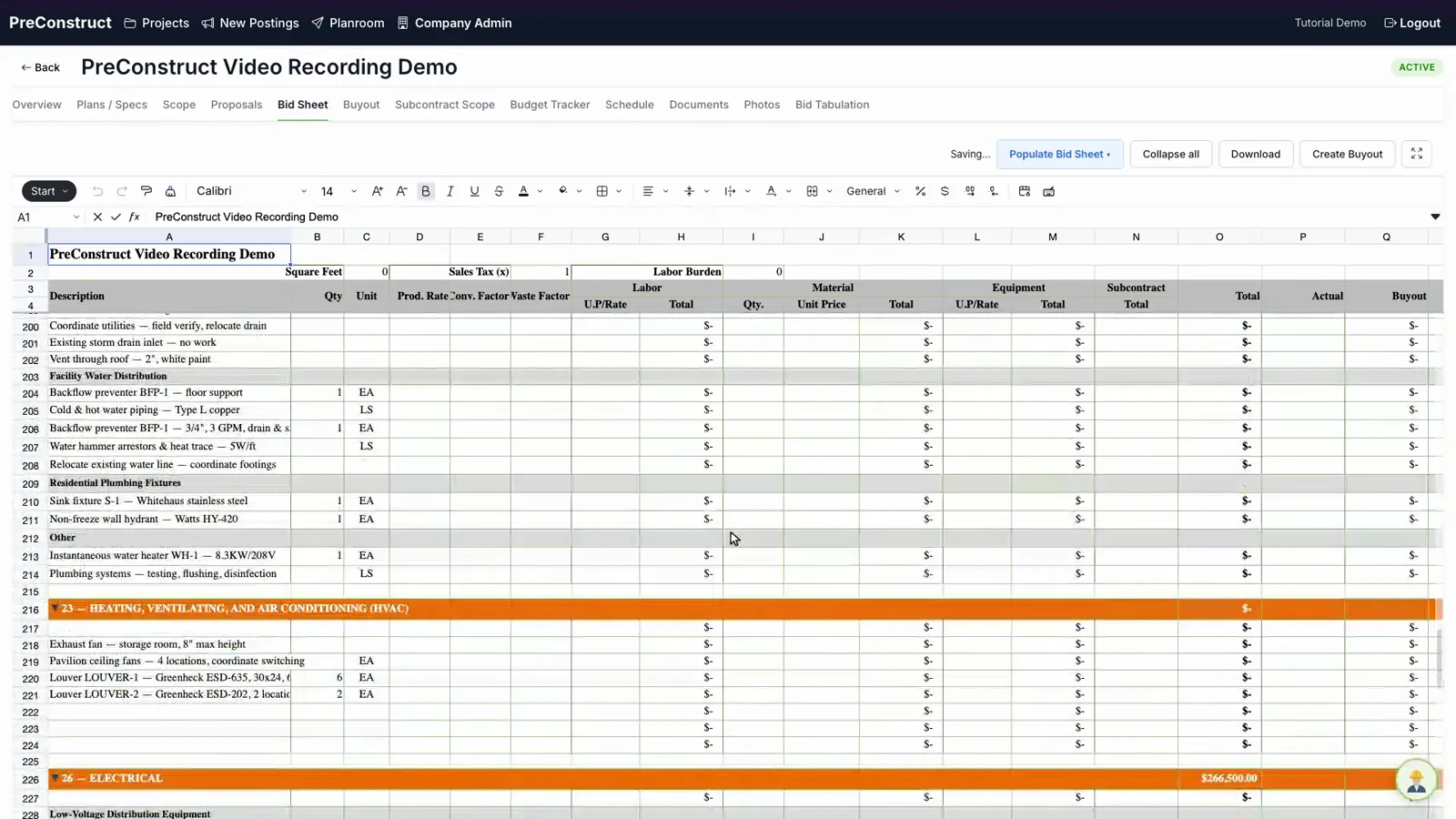
Bid sheet built from your scope
Every division and line item laid out for you. Price it by typing, uploading a priced spreadsheet, or pulling numbers from the bids you received. Totals roll up live.
Nothing awarded goes unbought
Move awarded scope into subcontracts and track what is bought against what is still open.
Learn more →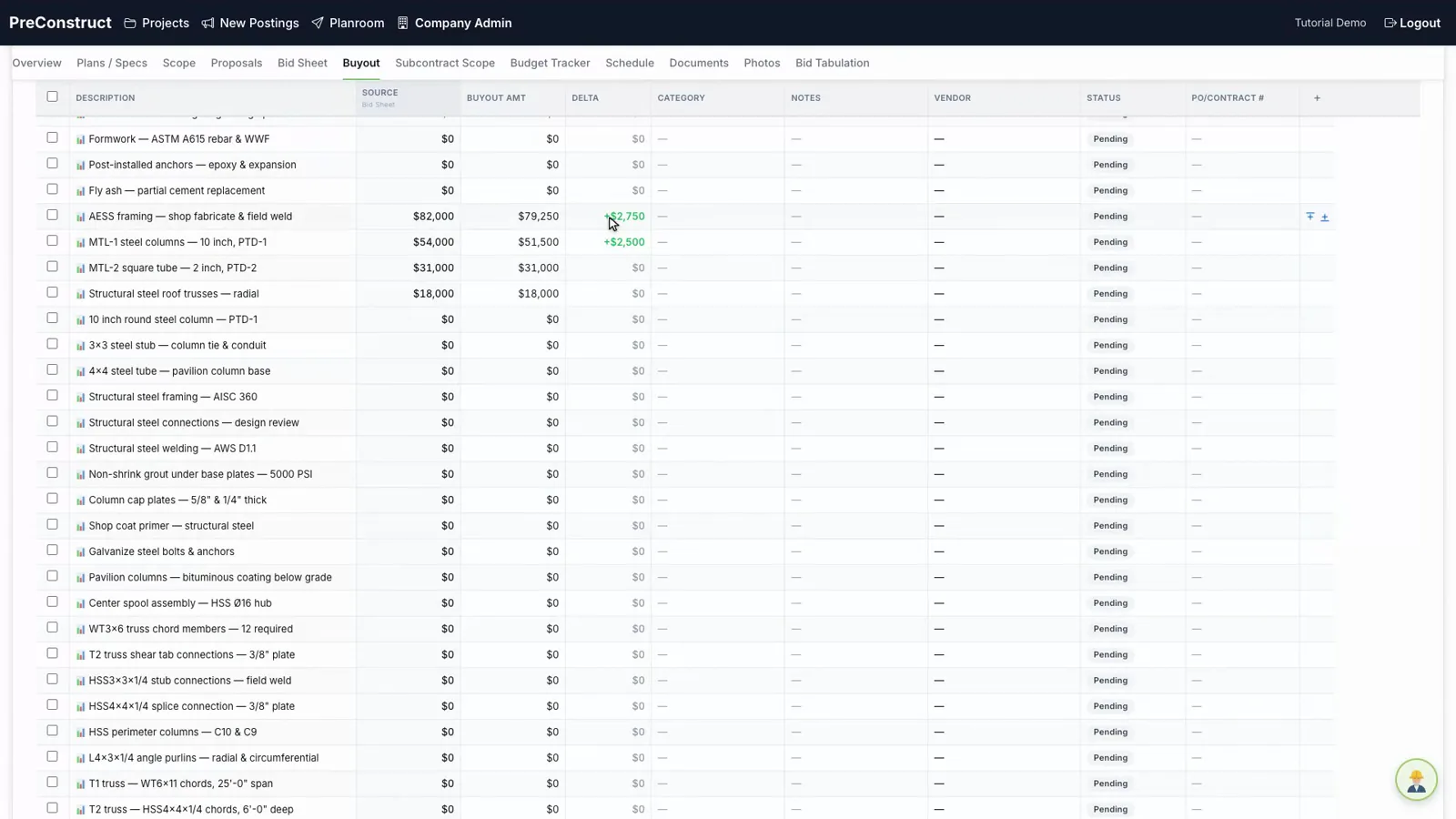
Catch a division drifting early
Track budget against actual cost by division as the job moves.
Learn more →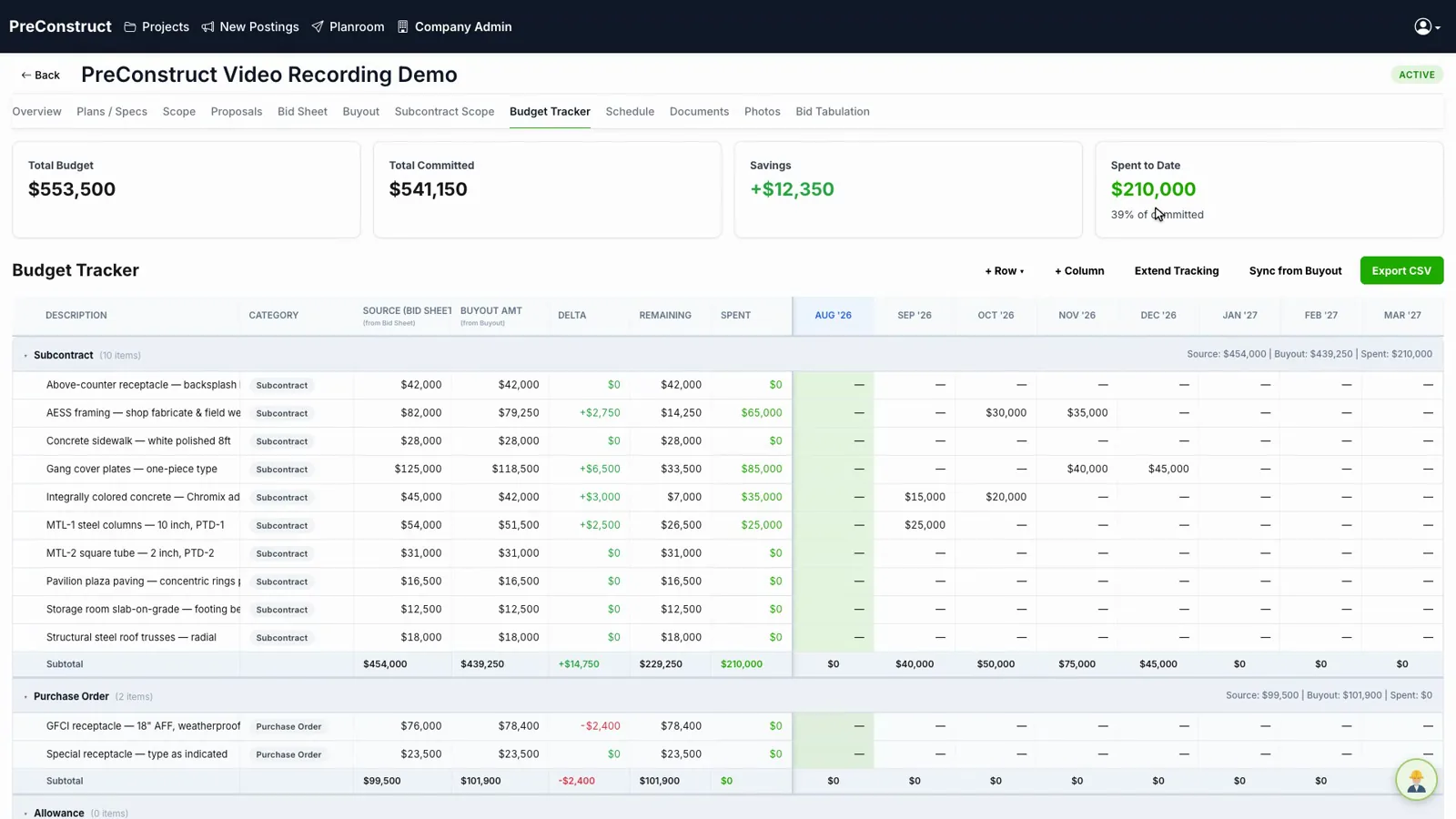
Also included
AI ScheduleGenerate a first-pass schedule from scope, buyout, plans, and specs.
ProposalsGenerate client-facing proposals directly from your bid sheet.
Multi-phase projectsTrack a job across Schematic Design, Design Development, and Construction Documents so scope carries forward as the drawings develop.
Nick, the AI assistant
Ask the project a question
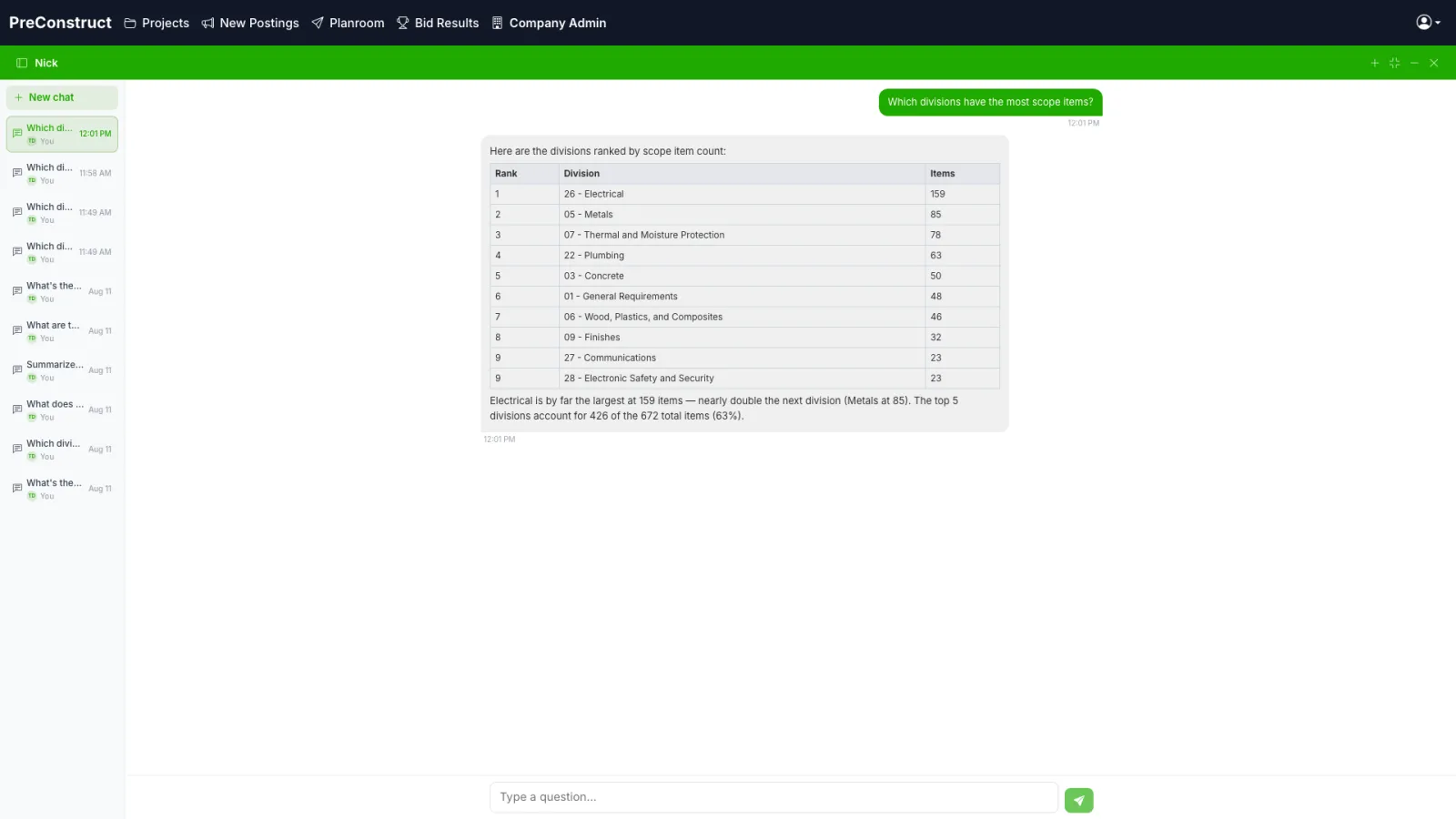
Nick reads your project — the scope, the bid sheet, the buyout, the budget, the schedule, and the documents you uploaded — and answers in plain language. Every answer points at the source it came from, so you can check it.
- “What is the total value of the bid sheet, by division?”
- “Which divisions have the most scope items?”
- “How long is the project and what are the key phases?”
- “What does the spec say about the roofing warranty?”
Nick only sees your company’s projects. It never trains on your documents.
Does any of this sound like your week?
- How many sites does someone check for new bid postings?
- How long does it take to get from a plan set to a scope list?
- Who knows which subs actually opened the package you sent?
- After the award, where does the buyout list get rebuilt?
- When does anyone find out a division has drifted?
PreConstruct is built to answer all five in one place.
Built for general contractors
PreConstruct is built for the people who run preconstruction at a general contractor — preconstruction managers, chief estimators, and estimators working several live bids at once. It is not a takeoff tool for a single trade, and it is not a project management system for the field.
What changes on a bid
The same steps you run today, without the retyping between them.
| Step | Today | With PreConstruct |
|---|---|---|
| Finding public bids | Someone checks each posting site, one tab at a time | Sources saved once; one click pulls every new posting into one list |
| Scope from the plans | Read the whole set and type the scope list by hand | AI drafts the scope by CSI division with page references; estimators edit |
| Sending packages | Email attachments; no idea who opened what | Blast from the scope; see who viewed, downloaded, and replied yes, no, or maybe |
| Reading quotes back | Open every PDF and re-key numbers into the spreadsheet | Upload every quote at once; AI reads and sorts them for review |
| Bid sheet | Rebuild the sheet from the scope list | Drafted from the scope, priced from the bids, totals live |
| After the award | Rebuild the buyout list in another file | Awarded scope carries into buyout; budget tracker reads from buyout |
What each seat gets
Owner / principal
One place to see every live bid, who is bidding it, and where the buyout stands. Company-wide settings, branding on everything you send, and your data isolated from every other company on the platform.
Precon manager
Postings watched for you, packages and responses tracked per blast, and a planroom dashboard that rolls up yes, maybe, and no across the whole bid.
Estimator
A draft scope with page references instead of a blank sheet, a bid sheet already laid out by division, quotes read for you, and Nick to answer questions about the documents.
Pricing
PreConstruct is priced per company, based on the size of your team and which modules you use. We do not publish a rate card because a two-estimator shop and a twenty-person precon department are not the same product.
- All estimators on your team, not per-seat surprises mid-bid
- Your company's data isolated from every other company on the platform
- Subcontractor portal access at no cost to your subs
- Support during setup
In production today
PreConstruct is running on live bids with a general contractor today. We are taking on a small number of additional teams.
Works with what you already use
No new file formats to learn and nothing locked inside.
- PDF, DWG, DXFPlans, specs, addenda, and bid forms upload as they are.
- ExcelBid sheets download as spreadsheets; priced sheets upload back in.
- CSVBudget tracker exports for accounting.
- EmailBid packages go out from your company identity; replies land in your inbox and in the planroom.
- Public postings pageA page you can hand to subs that lists what you have out to bid.
Common questions
What is PreConstruct?
PreConstruct is a preconstruction management platform for general contractors. It covers scope takeoff, bid packages, bid leveling, buyout, budget tracking, scheduling, and proposals in one system.
Who uses PreConstruct?
General contractors. The main users are preconstruction managers, chief estimators, and estimators.
How does the AI scope takeoff work?
You upload the plan set and specifications. The system reads them and produces a draft list of scope items with quantities, units, and CSI division codes. Estimators review and correct that draft rather than typing it from scratch.
Does PreConstruct replace my estimating spreadsheet?
No. PreConstruct works with bid sheets and exports to Excel, so existing spreadsheet workflows continue.
Is my project data private?
Yes. Each company's projects, documents, and subcontractor lists are isolated from every other company on the platform.
How much does PreConstruct cost?
Pricing depends on team size and the modules you use. Contact us for a quote.
See it on one of your own bids
We will walk through the platform using a project like the ones you bid, not a canned sample.
Or email contact@preconstruct.ai