AI Scope Takeoff
Start from a draft, not a blank sheet
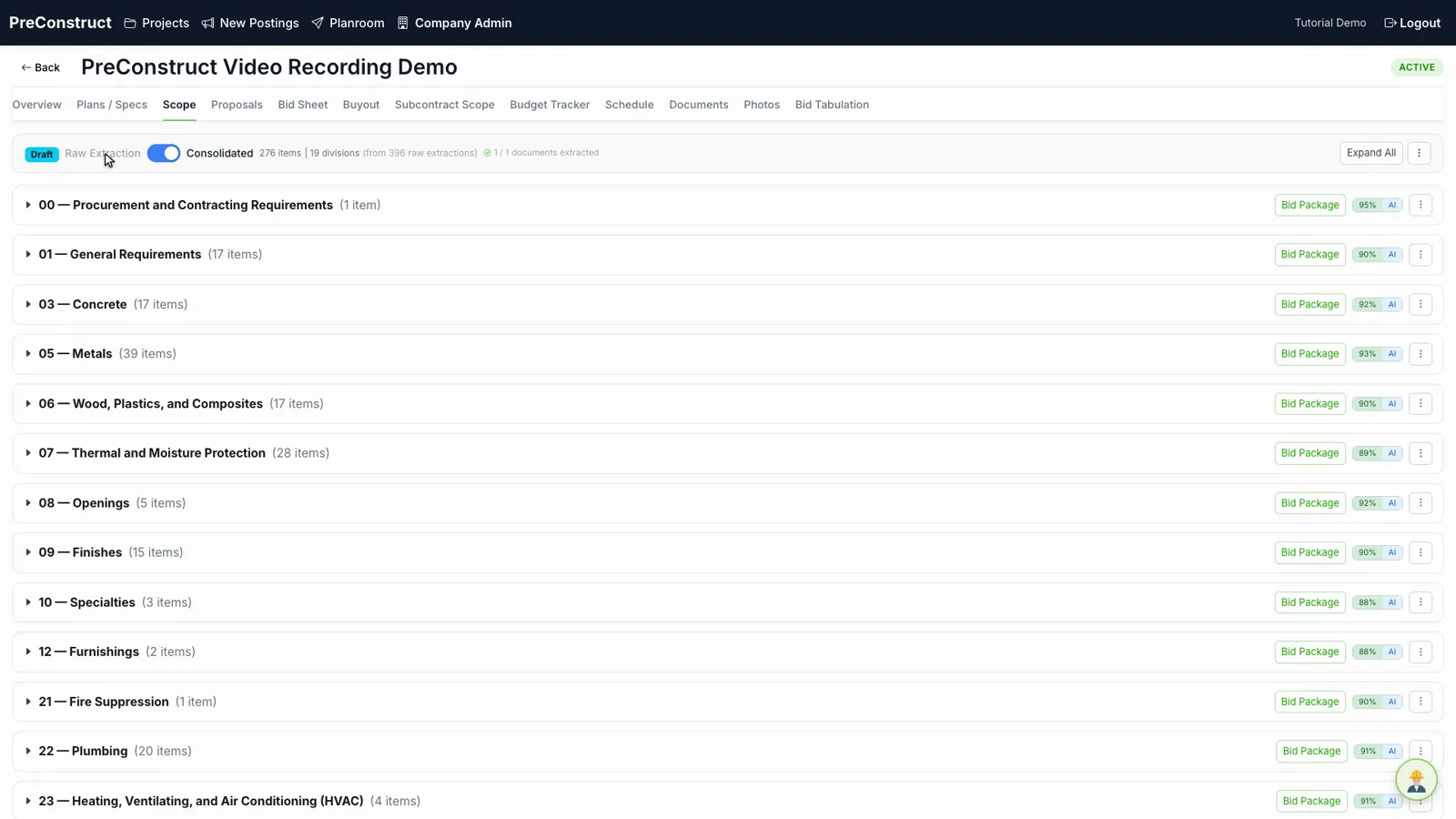
Scope takeoff is the slowest part of a bid. Someone has to read the whole plan set and the specifications, then write out every item of work. PreConstruct does the first pass. You upload the documents and get back a draft scope list organized by CSI division, with quantities and units where the documents state them.
Already a customer? Log in
 Every line traces to a page
How it works
- 1Upload the plan set and specifications to the project.
- 2PreConstruct reads both the drawings and the spec text.
- 3A draft scope list comes back, grouped by CSI division.
- 4Estimators review, correct, and add anything the documents did not cover.
What you get
- Scope items grouped by CSI division
- Quantities and units where the documents state them
- A marker showing whether a quantity came from the specs or was estimated
- Full editing — every line can be changed, added, or removed
Common questions
Does the AI replace the estimator?
No. It produces a draft. Estimators review every line and correct it. The platform is built around that review step, not around trusting the first output.
What file types can I upload?
Plan sets and specifications as PDFs, and images of drawings.
What happens if the plans do not state a quantity?
The item still appears in the scope list without a quantity. Nothing is invented to fill the gap, and the item is marked so you can see it needs a number.
Can I start from my own scope list instead?
Yes. Scope items can be added and edited by hand at any point.
Related
See it on one of your own bids
We will walk through the platform using a project like the ones you bid, not a canned sample.
Or email contact@preconstruct.ai