Subcontractor Planroom
Know your coverage before bid day
A planroom is where your plans live for bidding: subcontractors pick up the documents, and you keep the list of who has them and who is bidding. Every company on PreConstruct gets its own — private invitations for the subs you want and a public page for the ones you have not met — so thin coverage on a trade shows up while there is still time to do something about it, not after the numbers are in.
Already a customer? Log in
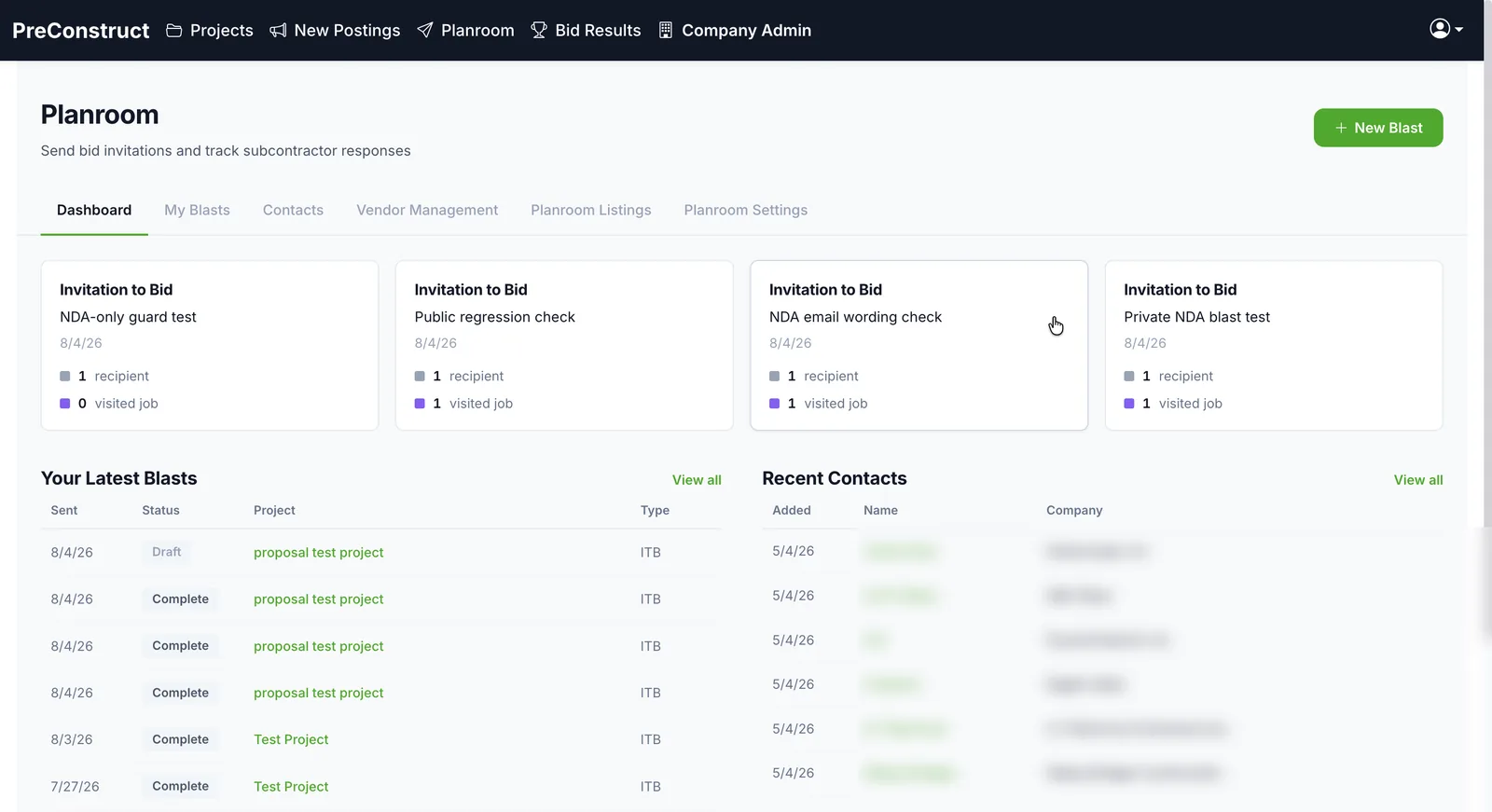 Yes, maybe, no — across the whole bid
How it works
- 1Put the project in your planroom. Choose which files subs can see; internal documents stay out.
- 2Invite the subs you want by blast. Require an NDA before the plans open, or keep the listing behind a PIN, when the job calls for it.
- 3Turn on your public postings page so any subcontractor can find what you have out to bid and sign up as a planholder.
- 4Watch the roll-up: who opened, who downloaded, and who answered yes, maybe, or no — one dashboard across the bid.
What you get
- Private planroom (Standard plan): invitation-only, sent by blast to the subs you pick
- NDA gate on private blasts, and PIN-gated listings for jobs that should stay off the public list
- Public postings page (Pro plan): every open bid at your company's address, with a bid calendar; closed bids drop off on their own
- Planholders list on each public listing: who has picked up the plans
- Per-project control of the public page: which sections, files, and fields show
- Yes, maybe, no roll-up per blast, with opens and downloads per bidder
Common questions
What is the difference between a bid package and the planroom?
A bid package is the set of documents you send to a chosen list of subs for one scope. The planroom is where those packages land and where subs pick them up — and, on Pro, the public page listing everything you have out to bid. Packages go out from the planroom; the planroom keeps the record of who has what.
What is the difference between private and public?
Private is invitation-only: you pick who gets the blast, and you can require an NDA or hide the listing behind a PIN. Public is a page at your company's address where any subcontractor can see your open bids and register as a planholder. The Standard plan includes the private planroom; the public postings page is on Pro.
What do I stop doing?
Calling around to find out who has the plans and who is bidding. Opens, downloads, and yes, maybe, no answers are on the dashboard per bidder, so a trade with one taker shows up before bid day, while there is still time to invite more subs.
Can subs I did not invite find my bids?
Only if you turn on the public page, and only the projects you publish there. PIN'd projects stay off the list, and internal documents are never in the planroom.
Related
See it on one of your own bids
We will walk through the platform using a project like the ones you bid, not a canned sample.
Or email contact@preconstruct.ai