New Postings
Stop checking six posting sites
Public bid opportunities are scattered across many different posting sites. Finding them means someone checks each site, one at a time, and hopes nothing was missed. PreConstruct pulls them together. You set up your sources once, and after that a single click brings every new posting into one list.
Already a customer? Log in
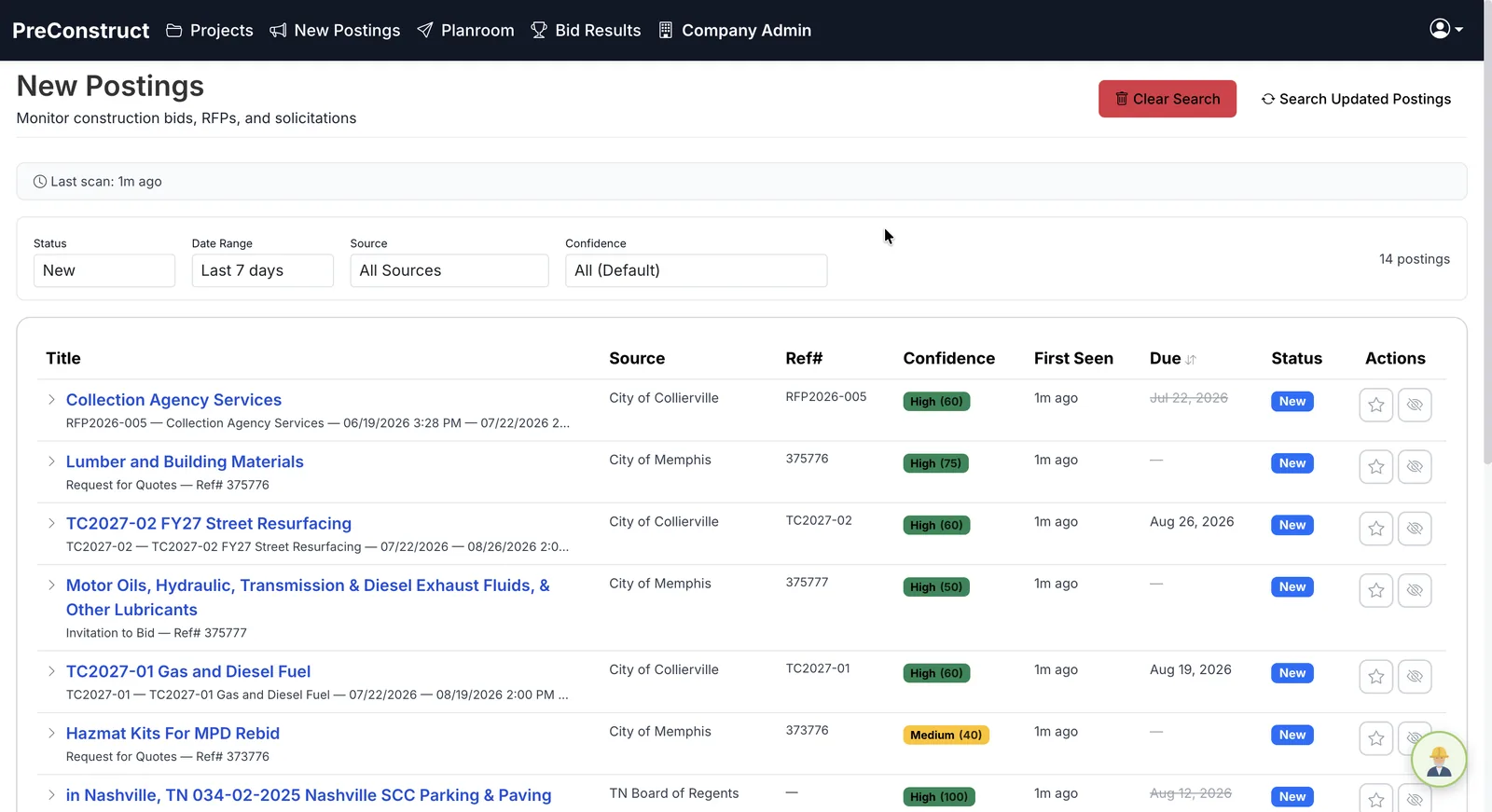 One click. Every source.
How it works
- 1Add the posting sources your team already checks.
- 2Save them once. The setup does not need repeating.
- 3Click to pull. The system visits every source you configured.
- 4Review every new posting in one list instead of six browser tabs.
What you get
- Your posting sources configured once, reused every time
- One list instead of one tab per site
- Built for public bid work
- New postings surfaced without anyone checking manually
Common questions
What is bid posting aggregation?
It means collecting public bid opportunities from many different posting sites into one place, so nobody has to check each site individually.
Which posting sites does it work with?
You configure your own sources — the ones your team already checks for the work you bid.
Is this for public work or private work?
New Postings is built mainly for public bids, which are posted openly. Private invitations still come to you directly.
How often do I need to set it up?
Once. After the sources are saved, pulling new postings is a single click.
Related
See it on one of your own bids
We will walk through the platform using a project like the ones you bid, not a canned sample.
Or email contact@preconstruct.ai